Module 1. What is YouTube and what you get paid for
Don`t want to read? Listen recording!
1. Why this lesson matters
Before we talk about views, thumbnails, Shorts, analytics, or monetization goals, we need to start with the foundation: what YouTube actually is.
Many beginners rush straight into tactics. They look for the best upload time, the perfect title formula, the newest AI tool, or a shortcut to monetization. But without understanding the basic system, every number in YouTube Studio starts to feel random.
In this module, we will keep things simple. You will learn who participates in the YouTube ecosystem, what each side wants, where advertiser money enters the platform, how creators can get paid, and why publishing a video does not automatically mean income.
Later in the course, we will go deeper into titles, thumbnails, audience signals, Shorts, analytics, equipment, editing, and practical workflows. This first module is the map. The next modules are the tools.
For the viewer, YouTube is a place to find answers, learn a skill, solve a problem, or relax.
For the creator, YouTube is a distribution tool for content, trust, and direct dialogue with viewers.
For the advertiser, YouTube is a way to reach people who are likely to care about a topic, product, or service.
For your creator project, YouTube can become a channel for attention, reputation, community, and eventually revenue.
Continue your analysis with other authors.
If you'd like to ask questions about the lessons and see the latest YouTube tutorials, join our YouTube Basics group on Telegram . It's a convenient place to compare the channel's ideas with real-life examples while you're working through the course.
2. Core idea
YouTube is not just a place where videos are uploaded. It is a system that connects viewer attention with content, advertiser demand, creator tools, and monetization rules. A video can reach people only when the platform understands who may value it. Income appears only when that attention is connected to an eligible monetization model.
3. Terms without extra jargon
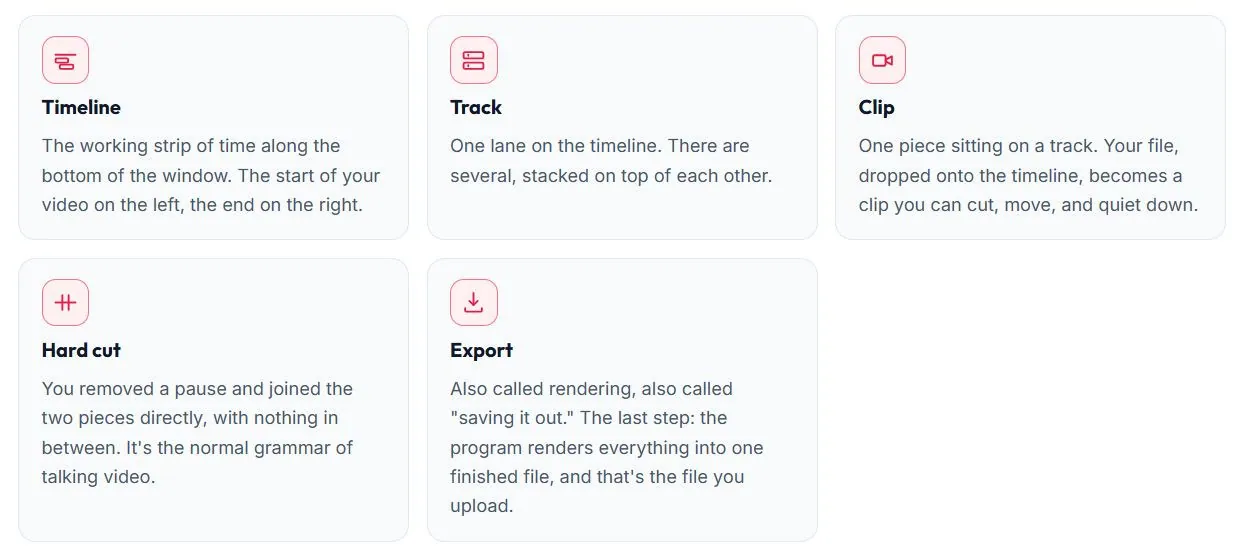
You do not need to memorize every monetization term on day one. But you do need a basic vocabulary, so that later lessons about analytics, Shorts, titles, thumbnails, and revenue do not feel like a foreign language.
YouTube Partner Program (YPP)
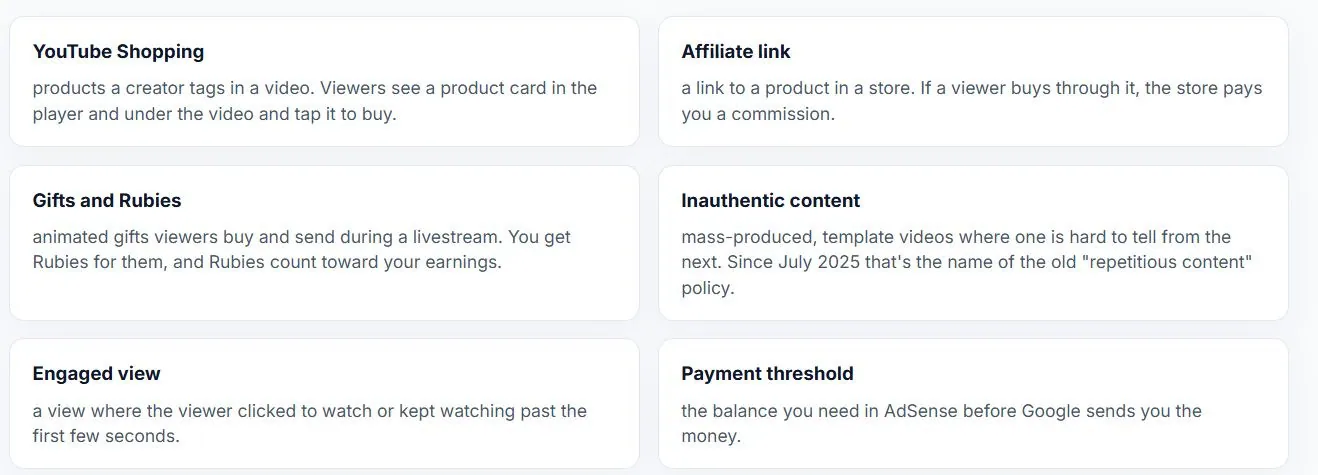
The YouTube Partner Program gives eligible creators access to built-in monetization features. Eligibility depends on your country, channel metrics, and compliance with YouTube rules. Getting into YPP is not the same as receiving instant income.
Google Ads and AdSense for YouTube
Google Ads is where advertisers bring budgets and buy ad placements.
AdSense for YouTube is the creator payment account used for tax information, identity and address checks, payment settings, and payouts.
Media networks (MCN)
Multi-Channel Networks are third-party partner companies that may offer support, payout options, music libraries, sponsorship help, or content protection. They are optional, they usually take a commission, and their contracts should be read carefully.
CPM and RPM
CPM is related to what advertisers pay for 1,000 ad impressions.
RPM is closer to the creator's practical earning efficiency: estimated revenue per 1,000 views after revenue sources and YouTube's share are accounted for. We will return to these metrics later in the analytics lessons.
Monetized playback
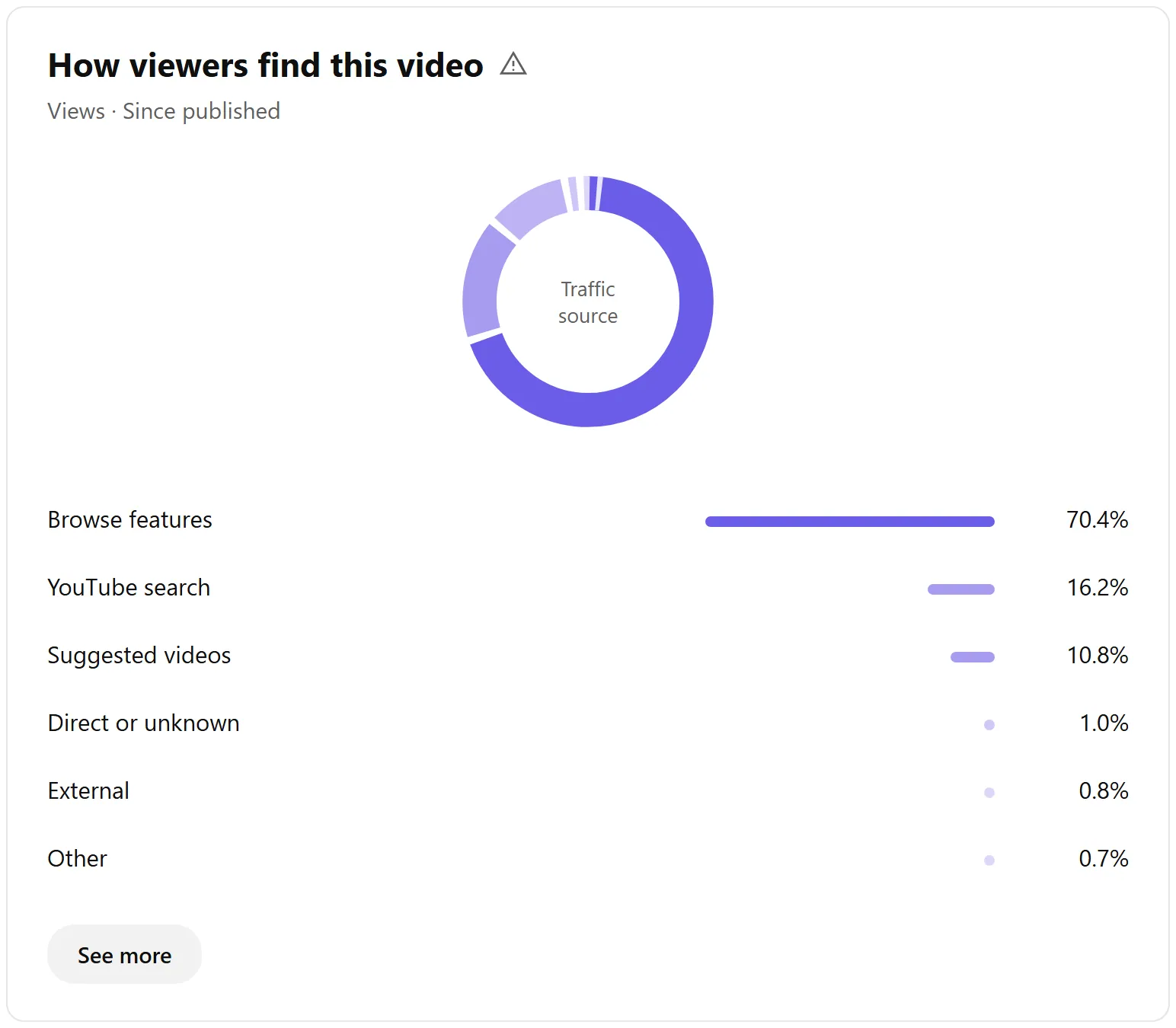
A playback where at least one ad was shown or revenue was otherwise assigned to eligible viewing. A regular view, a monetized playback, and a payout are not the same thing. This is one reason views do not automatically mean money.
4. How platform participants interact
YouTube works because several sides exchange value at the same time. Creators make videos. Viewers give attention. Advertisers pay to reach relevant audiences. YouTube hosts, recommends, measures, and distributes revenue according to its rules.

5. How the system works: a simple TV metaphor
Instead of a complicated money-and-information flowchart, imagine a classic TV network or cable television system:

The connection is simple: advertisers buy time from the “sales department” (Google Ads) ➡️ the “TV network” (YouTube) shows ads during breaks in your “show” (video) ➡️ “accounting” (AdSense) counts eligible ad playbacks and assigns your share.
6. How YouTube revenue is split
Creator income can come from built-in YouTube monetization and from external revenue that a creator earns outside YouTube's ad system. The important beginner idea is simple: views, monetized views, revenue, and payout are different steps.
Built-in monetization: YouTube revenue share
When ads, Premium watch time, or fan-funding purchases generate revenue, YouTube applies rules for how the revenue is shared. Below is the static breakdown of how revenue is split by monetization model:

Fan funding
Fan funding includes tools such as Super Chats, Super Thanks, and Channel Memberships. These are direct-support features inside YouTube. Under YouTube's rules, the creator receives 70% of net revenue and the platform keeps 30%; taxes and app-store fees may also apply.
External monetization
Some monetization paths can exist outside YouTube's built-in ad system:
- Direct sponsorships: A brand pays you directly for an agreed integration, mention, or dedicated video. You negotiate the terms yourself and YouTube does not take a commission from that deal.
- Affiliate links: You recommend a product or service and receive a commission when a viewer buys through your link. This can work before YPP, but it still requires trust and a clear match with the audience.
- Your own products or services: Some creators use YouTube to sell courses, consulting, digital products, physical goods, recipes, templates, or services. This usually works only after the audience trusts the creator.
7. How creators receive earned money
For most beginner creators, the standard path for built-in YouTube revenue is direct payment through AdSense for YouTube. Some creators work with partner networks, but this is optional and should be reviewed carefully because networks may take a commission and create contract obligations.
Google AdSense (Direct) | Multi-Channel Networks (MCN / Partnerships) |
|
|
|
|
|
|
|
|
|
|
8. Common mistakes
At the foundation stage, the biggest mistakes are not advanced technical mistakes. They are wrong assumptions about how YouTube works. These are the traps beginners should avoid early:
Short YouTube observations every day
To spot common mistakes before they make it onto your channel, subscribe to Creator Tools on Threads: they publish short notes on content, packaging, analytics, and the development of creative projects.
- Chasing tactics before understanding the platform: Upload-time hacks, viral title formulas, and “secret algorithm” tips are not useful if you do not understand the basic exchange between viewers, creators, advertisers, and YouTube.
- Thinking every view should create income: A view, a monetized playback, revenue, and an actual payout are different things. Income depends on eligibility, ad availability, viewer location, YouTube Premium, fan funding, sponsorships, affiliate links, and payment setup.
- Copying content instead of creating value: Reusing other people's videos, music, or footage can lead to copyright claims, strikes, or removal. YouTube rewards original value, not copied uploads.
- Trusting fast-money creator schemes: Be careful with promises of easy YouTube income from mass-produced videos, copied clips, faceless AI channels, or “secret” systems. AI can help with workflow, but it does not replace original ideas, judgment, and trust.
- Buying fake engagement: Bots, fake views, fake likes, and fake subscribers do not create a real audience. They can damage channel signals and put the channel at risk.
- Joining tools, networks, or services without understanding the trade-off: Some services can help, but every tool, MCN, or partner offer has conditions. Before connecting anything to your channel, understand what you give, what you get, and what it costs.
The goal of this course is not to sell you shortcuts. The goal is to help you understand the system, avoid beginner mistakes, and build a channel on a foundation that makes sense