
How to Use Creator Tools: Step-by-Step Instructions
Step-by-step instructions for creators, agencies and channel managers who use Creator Tools. Learn how to translate a video's title, description and subtitles into 140+ languages, set up AI replies to comments, go live with a pre-recorded video, and earn free translation credits.
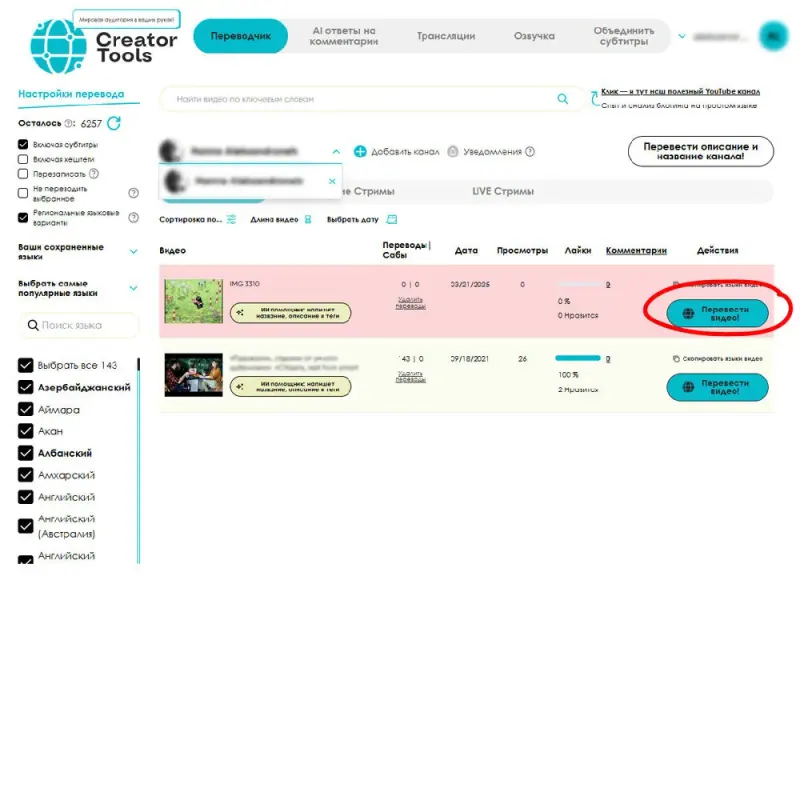
How to Translate Your YouTube Video's Title, Description and Subtitles and Attract Viewers from Around the World
Step-by-step guide: translate your YouTube video's title, description and subtitles with Creator Tools Translator and grow views worldwide.
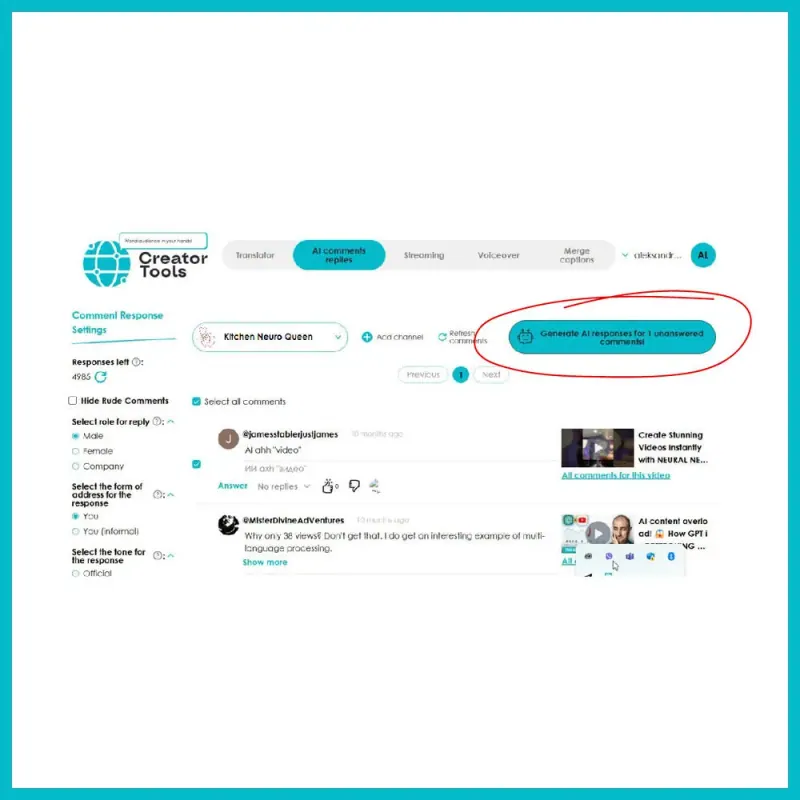
YouTube Comment Reply Generator: Automate Replies With AI in 5 Steps
Generate AI replies to YouTube comments in 5 steps: pick a role, address and tone, generate, edit and publish, or let auto-reply post every 10 minutes.
Take Your YouTube Blog or Business to the Next Level with Creator Tools!
Discover how Creator Tools’ AI translation, voiceover, and subtitle tools help bloggers and businesses increase YouTube revenue and simplify content creation.

Get Even More YouTube Translations — For Free
Earn extra credits for translating YouTube titles, descriptions and subtitles through the Creator Tools bonus and referral program.
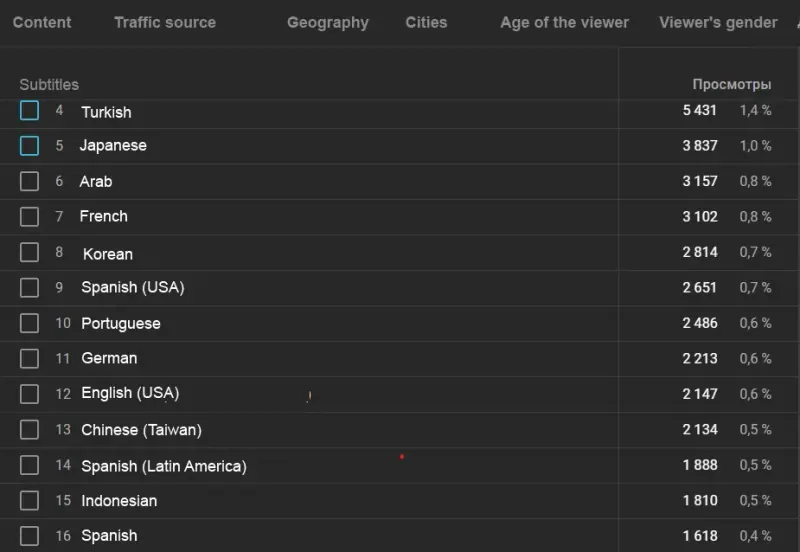
Attract Organic YouTube Traffic From New Countries
Learn how to get organic traffic on YouTube from new countries: translate subtitles and metadata so the algorithm recommends your videos abroad.

How to Stream Pre-Recorded Video on YouTube and Make More Money
Learn how to stream pre-recorded video on YouTube as an automatic broadcast with Creator Tools and earn more from the videos you have already shot.
YouTube Metadata Translation for Agencies with Creator Tools Translator
YouTube metadata translation for agencies: translate titles, descriptions and subtitles into many languages and grow your clients' reach abroad.