Best AI Tools to Reply to YouTube Comments (2026)
There is no single best AI tool for YouTube comments. A solo creator who answers twenty comments a day, a channel with viewers in thirty countries and an agency running brand accounts on four social networks need different things. This list names the tools that come up when creators search for AI comment replies in 2026, says plainly who each one fits, and where it does not.
A fair warning: we make one of these tools, Creator Tools AI Comments. We have tried to describe the others as their own pages and ads present them, and we only quote prices we checked ourselves in November 2026. Where we could not verify something, we say so.
At a glance
| Tool | Type | Best for | Price (checked November 2026) |
|---|---|---|---|
| YouTube Studio reply suggestions | Built into Studio | Creators who answer every comment themselves | Free |
| Creator Tools AI Comments | Reply service for YouTube | Busy or multilingual channels that want replies posted for them or kept as drafts | From $9.99 for 3,100 replies; packs never expire; 200 free replies |
| Replient | Comment inbox for several social networks | Brands and agencies on YouTube, Instagram, TikTok and Facebook | €39 to €849 a month in credits; 14-day trial |
| NapoleonCat | Social media management | Teams that manage many social profiles in one view | Not checked; 14-day trial |
| Blabla | AI automations for social media | Businesses on Instagram, TikTok, YouTube and Facebook | Not checked |
| vidIQ reply generator | Free web generator | An occasional hard reply | Free |
| Chrome extensions | Browser add-on | Faster replying by hand | Varies |
| Make or Pabbly | No-code workflow you build | People who enjoy building automations | Platform plan plus the AI you connect |
1. YouTube Studio reply suggestions
Best for: smaller channels where you still read and answer every comment yourself.
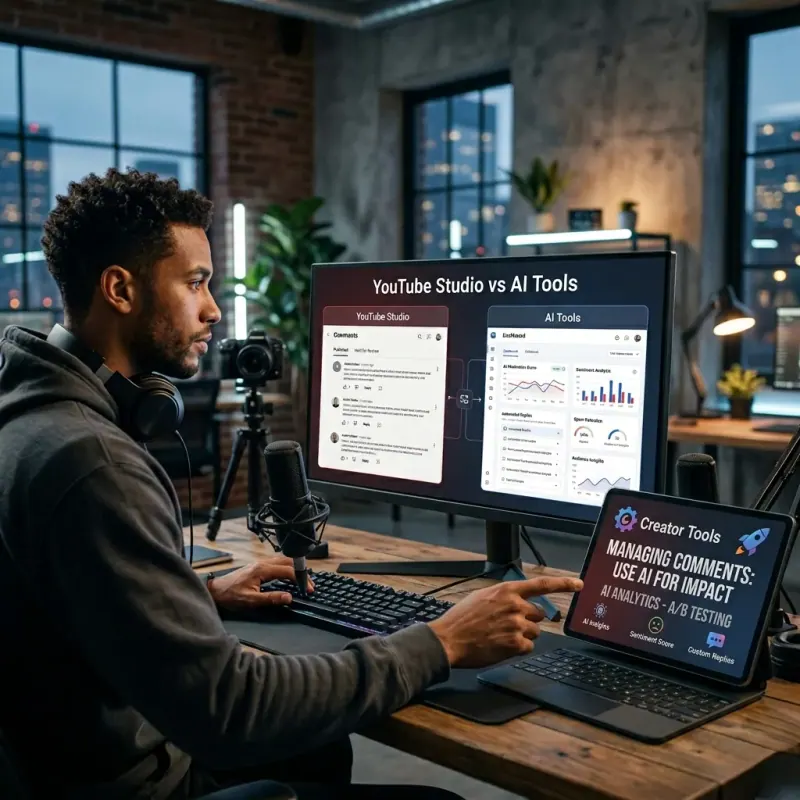
Start here, because you already have it. YouTube Studio suggests replies under comments, and YouTube Help says they come in the comment's language and follow the way you usually write. It is free and needs no setup.
Where it falls short: it only suggests. You post each reply yourself, one comment and one channel at a time, and nothing gets answered while you are away.
2. Creator Tools AI Comments
Best for: creators and brand channels with more comments than they can answer, especially when viewers write in other languages.
Creator Tools AI Comments connects to your channel through the official YouTube API. It writes a reply to each comment in the commenter's language (140+ languages, detected automatically) and in the voice you choose: 48 ready-made styles, a male, female or company voice, plus your own instructions. The AI also reads the video description before it replies.
- Auto-reply is off by default, so you can start with drafts and press Reply on each one.
- With auto-reply on, it checks the channel every 10 minutes and answers new comments, 24/7.
- Stop words keep auto-reply away from comments you want to handle yourself.
- Hide rude comments: rude comments are hidden automatically, so even viewers do not see them. Comments are never deleted.
- Reply packs, not a subscription: $9.99 for 3,100 replies, $24.99 for 9,300, $64.99 for 31,000. Replies never expire, and one price covers unlimited channels.
- 200 free replies over a one-month trial, no credit card.
Where it falls short: it is built for YouTube, so it is not the tool if you also need Instagram or TikTok comments in the same place. Auto-reply only answers comments that arrive after you switch it on; older ones go through draft mode.
Test it on your own comments: 200 replies free, no credit card. Keep auto-reply off until you like the drafts.
3. Replient
Best for: brands and agencies that answer comments on several social networks.
Replient runs a separate page for each platform it covers (YouTube, Instagram, TikTok and Facebook) and brings all channels into one inbox, with auto-replies in a brand voice. It also handles replies to Google reviews. Many of its ads are in German and aimed at companies rather than individual creators.
Plans cost €39 to €849 a month and are paid in credits; there is a 14-day trial without a card. We could not verify how many replies one credit covers, so we do not compare its price per reply with anyone else's.
Where it falls short for creators: a monthly plan built for teams can be more than a single YouTube channel needs.
4. NapoleonCat
Best for: social media teams that look after many profiles on many networks.
NapoleonCat ranks for YouTube comment management because it puts all your social channels into one view and compares itself with tools like Hootsuite, Sprout Social and Metricool. It offers a 14-day trial; we did not check its prices.
Where it falls short for creators: it is a social media management suite. If all you need is replies on YouTube, much of it will go unused.
5. Blabla
Best for: businesses that want AI automations across Instagram, TikTok, YouTube and Facebook.
Blabla markets “AI-powered automations” for those four networks to a business audience. We did not check its prices or how its YouTube replies work, so treat this as a name to look at rather than a recommendation.
6. vidIQ's free reply generator
Best for: the occasional comment you are not sure how to answer.
vidIQ, known for its YouTube growth tools, has a free AI reply generator that ranks for “AI reply to YouTube comments”. A generator like this writes one reply at a time; you copy it and post it yourself. Useful for a tricky comment, not for keeping up with hundreds.

7. Chrome extensions
Best for: creators who reply in the browser and want a quicker first draft.
Several Chrome extensions add an AI reply button to YouTube. You stay in control of every reply, but the extension works only while your browser is open and you are there to click. Languages, tone settings and prices differ a lot between extensions, so check what each one can access before you install it.
8. Make or Pabbly (build it yourself)
Best for: people who enjoy building automations and want to control every step.
Make and Pabbly both publish tutorials for a YouTube auto-reply workflow: new comment in, AI reply out, posted back to YouTube. You decide the prompt, the languages and the rules. You also maintain it, and you usually pay for both the platform and the AI model behind it.
Other names you may see
CommentShark, TubeReply and REPLAI.PRO also offer AI replies to comments. We have not reviewed them, so we cannot say who they fit.
How to choose
- Only YouTube, or several networks? For YouTube alone, a YouTube tool is simpler. For Instagram, TikTok and Facebook too, look at Replient, NapoleonCat or Blabla.
- Should replies go out while you sleep? Studio suggestions, vidIQ's generator and extensions need you there. Creator Tools and a Make or Pabbly workflow do not.
- Do viewers write in other languages? Check that replies come back in the commenter's language without you translating anything.
- How do you want to pay? Free, a monthly plan, or packs you buy once and use when you need them.
For the same choice seen by approach rather than by product, read YouTube Studio reply suggestions vs AI auto-reply tools. Not sure which comments to automate? These 7 YouTube auto-replies are a good place to start, and the YouTube comment auto-reply FAQ covers whether YouTube allows it.
If you run a YouTube channel and want to see AI replies on your own comments, start with 200 free AI replies to YouTube comments.