YouTube Auto Reply: Stop Replying to Comments Manually — Let AI Do It
Tired of spending hours responding to your subscribers? With YouTube auto reply from Creator Tools, AI now handles comment replies for you, so you can stay focused on creating content. Fast, smart, and tailored to your voice.

How Does YouTube Auto Reply Work?
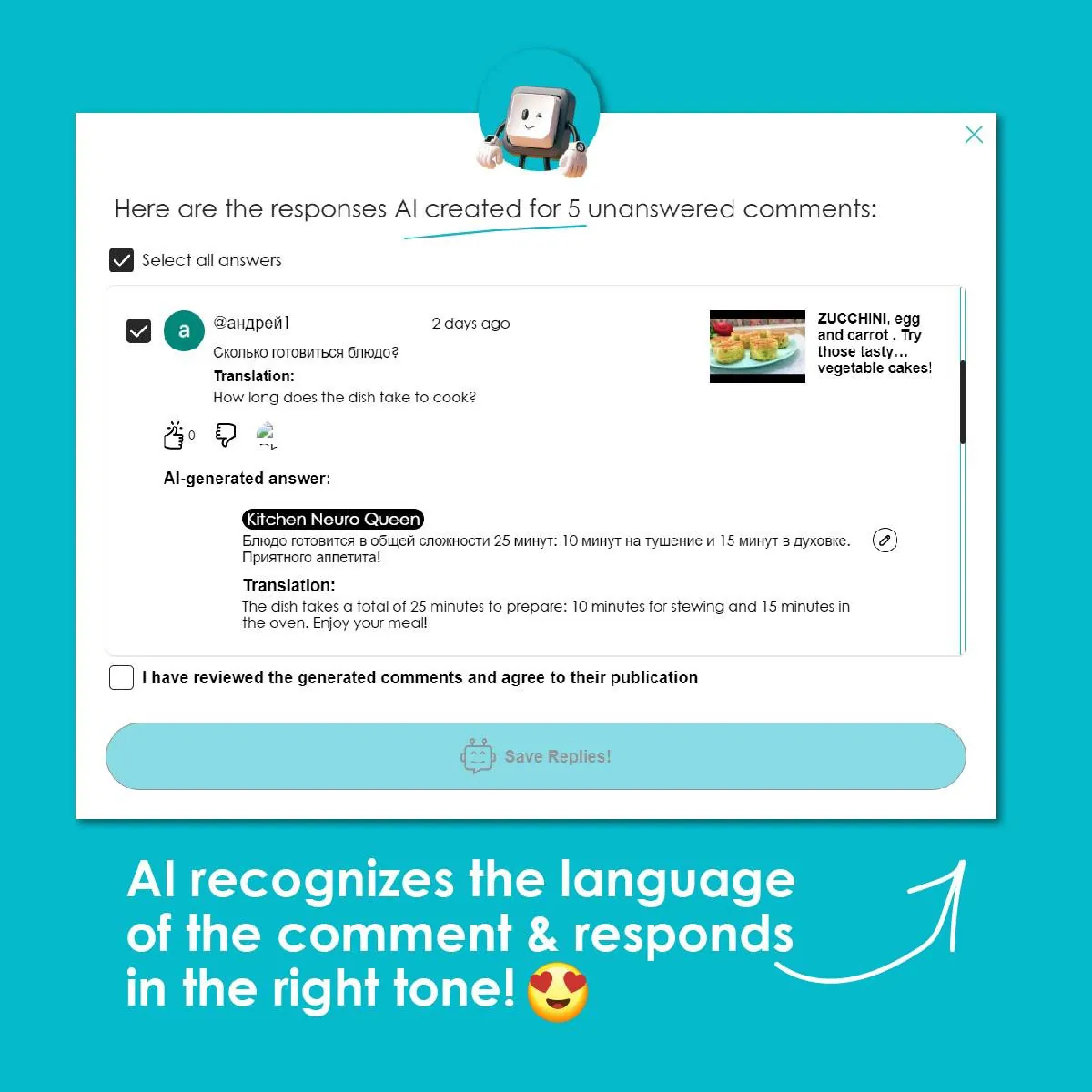
The AI reads each comment, detects its language, and crafts a meaningful reply that fits your channel's tone and brand. You can select the voice style — male, female, or campaign-specific — and every response is generated with the video's context in mind, so replies stay relevant and on-topic.
Hand the routine replies to Creator Tools: it answers in your voice and in 140+ languages. Start with 200 free replies, no credit card needed.
What Can the AI Auto Reply Bot Do?
Handles Negativity Gracefully
The AI recognizes hate speech and hostile comments, then responds calmly and politely — protecting your community without you lifting a finger.
Writes Real, Thoughtful Replies
Forget generic "thank you!" responses. The AI generates contextual answers that actually engage your viewers and encourage conversation.
Multilingual by Default
Comments and responses are automatically translated so your audience can follow along no matter what language they speak.

What's New?
Every Creator Tools user gets 200 free auto-replies to start — no strings attached.
Need more? Additional reply packages are available to purchase whenever you run out.
Early testers get a special bonus: your first purchase is doubled as a thank-you for helping shape the product.


Stay Connected Without the Grind
Don't miss the chance to stay engaged with your audience — effortlessly. Try AI comment replies from Creator Tools today and leave the routine behind for good.

FAQ
How do I turn on auto reply on YouTube?
With Creator Tools, setup takes about two minutes. By default Autopilot is off: you see each comment and the AI reply, and you click Reply yourself. Turn on Autopilot and replies go out automatically every 10 minutes, up to 50 per cycle.
Can I check AI replies before they are published?
Yes. While Autopilot is off, nothing is published without your approval, and you can switch Autopilot off for any channel in one click.
Does auto reply work for comments in other languages?
Yes. The AI detects the language of each comment and replies in it, in 140+ languages.