How to Use YouTube's Tools and Features to Grow Your Channel
Hello, content creators! We're the Creator Tools team, and we're here to help make your content creation journey easier and more profitable. Below are essential tips for using YouTube's built-in features and tools to grow your channel effectively.
1. Optimize with SEO
When writing your video titles, descriptions, and tags, use relevant keywords that accurately describe your content. This helps the YouTube algorithm categorize your videos and surface them in search results — bringing in new viewers organically.
- Put the main phrase a viewer would type near the start of the title, while keeping the title readable for people.
- Use the first two or three lines of the description to summarise the video; that is the part viewers see before they expand it.
- Add tags for common misspellings and alternative names of your topic. They play a smaller role than the title and description, so do not spend long on them.
2. Use Cards and End Screens
Cards let you add interactive elements to your videos that link to other videos, playlists, or external resources. They're a great way to boost engagement and guide viewers to more of your content.
End screens appear in the final 20 seconds of a video and prompt viewers to subscribe, watch another video, or visit your website. They're one of the simplest ways to retain audience interest after a video ends.

3. Create Eye-Catching Thumbnails
Your thumbnail is the first thing a potential viewer sees — make it count. Design thumbnails that are visually compelling and accurately represent your content. Bold text, high-quality imagery, and vibrant colors help your video stand out in a crowded feed.
Before you publish, look at your thumbnail at the small size it appears on a phone. If the main subject or the words are not clear at that size, simplify. Make sure the thumbnail and the title work together: the image shows, the title explains, and neither repeats the other word for word. The free course lesson on packaging a YouTube video with a strong title and thumbnail covers this in detail, with examples.
4. Leverage YouTube Analytics
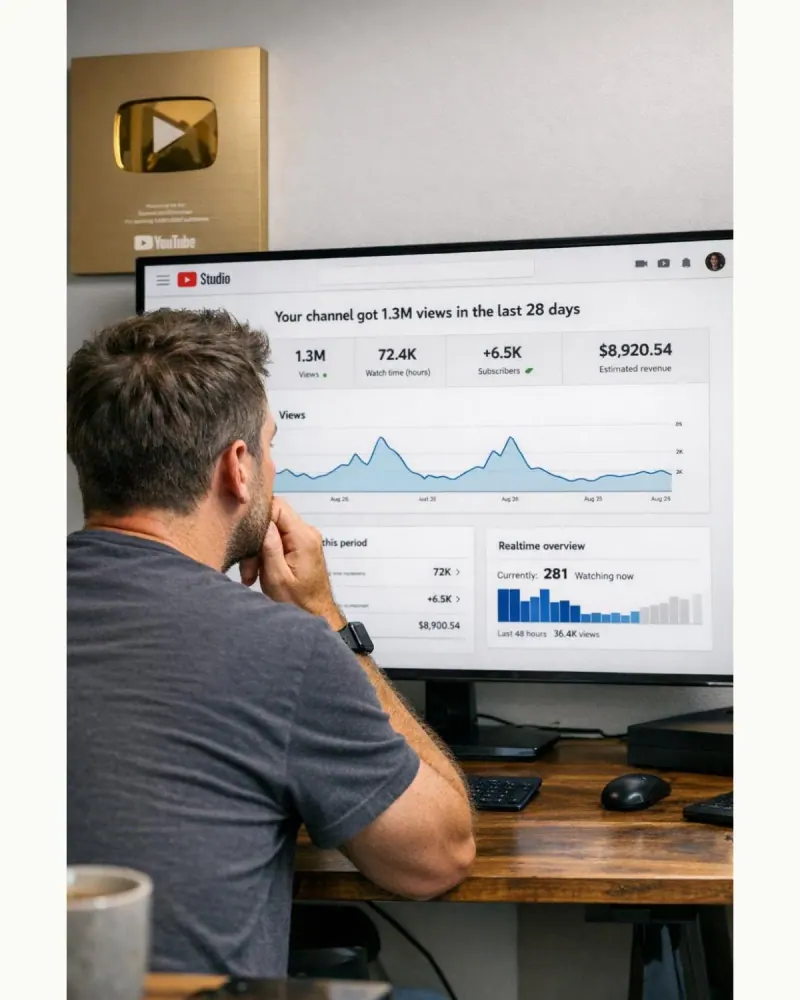
YouTube's analytics dashboard gives you detailed insight into how your videos perform and how viewers interact with your content. Pay close attention to:
- Watch time
- Average view duration
- Engagement rates (likes, comments, shares)
Use this data to refine your content strategy and make smarter decisions for future videos.
A practical way to read these numbers: if few people click your video when it is shown, work on the title and thumbnail; if many click but leave early, work on the opening of the video; if viewers stay but do not come back, work on playlists and end screens. The free course lesson on reading YouTube Analytics: CTR and retention explains each report in plain language.
5. Collaborate with Other YouTubers
Partnering with creators who have similar or complementary audiences can expose your channel to entirely new viewers. Reach out and propose joint projects — collaboration videos tend to perform well because they combine two fan bases and generate broader interest.
Look for channels of a similar size in a neighbouring topic rather than direct competitors. Propose a concrete idea that is useful for both audiences — a joint challenge, a comparison or a guest appearance — and agree in advance who publishes what and when.
6. Add Chapters with Timestamps
Write timestamps in the description, starting with 0:00, and YouTube turns them into chapters on the progress bar. Chapters let viewers jump to the part they need, make long videos less intimidating and give each section a clear name that can appear in search. Keep chapter titles short and descriptive, such as "0:00 Why it squeaks" or "2:15 Cleaning the pads".
7. Organize Videos into Playlists
Playlists keep viewers watching your videos one after another. Group videos by topic or by the order in which they should be watched, give each playlist a clear title and description, and feature the most important one on your channel page. A good playlist turns a single view into a session.
8. Add Subtitles and Translations
Subtitles help viewers who watch without sound, viewers with hearing difficulties and viewers whose first language is different from yours. Start by checking YouTube's automatic captions for your language and correcting names and terms. YouTube Studio also lets you add a translated title, description and subtitles for other languages, so viewers abroad can see your video in their own language.
9. Keep in Touch Through the Posts Tab
If the Posts tab is available on your channel, use it between uploads: share a behind-the-scenes photo, ask a question about your next video or run a poll. It keeps your channel visible to subscribers and gives you ideas straight from your audience.
10. Common Mistakes with YouTube's Tools
- Covering important parts of the video with end screen elements.
- Adding so many cards that viewers are pulled away from the video every minute.
- Using thumbnails that promise something the video does not deliver.
- Checking only the view count and ignoring retention and click-through rate.
- Leaving old videos without playlists, chapters or subtitles — they can still bring new viewers years later.